
Protocol-Driven Training, Step by Step
Apnea Coach helps you plan, run, and track structured breath-hold training sessions using CO2 and O2 tables, guided session tools, progress tracking, and optional heart-rate monitoring.
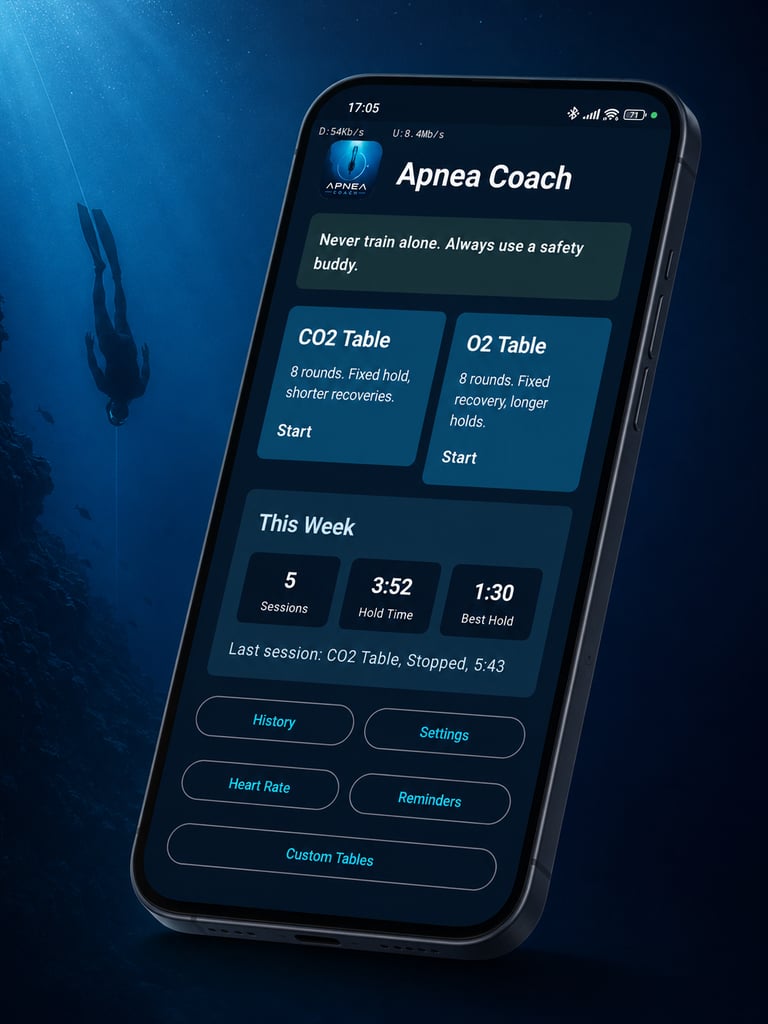
— CO2 and O2 Tables
Choose Your Training Table
Select from structured CO2 and O2 training tables designed to support different aspects of breath-hold practice.
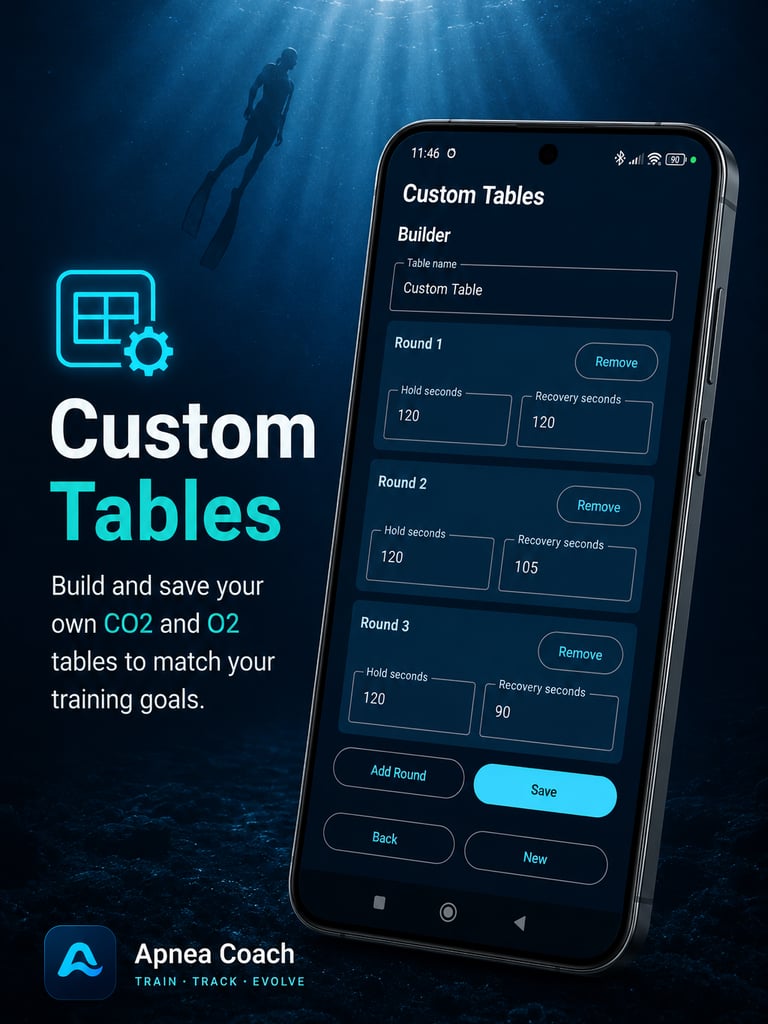
CO2 tables focus on working with shorter recovery periods, while O2 tables are built around longer breath-hold phases. You can use the built-in setup or edit the table to suit your current training level.
— CUSTOM TABLES
Customise the Session
Apnea Coach lets you adjust your training before you begin.
You can edit table settings, save custom tables, preview the full session, enable a guided warm-up, configure warm-up breaths, and set your inhale and exhale pacing.
This gives you a clear view of what is coming before the session starts.
— FOCUS. BREATHE. PERFORM.
Follow Guided Training Cues
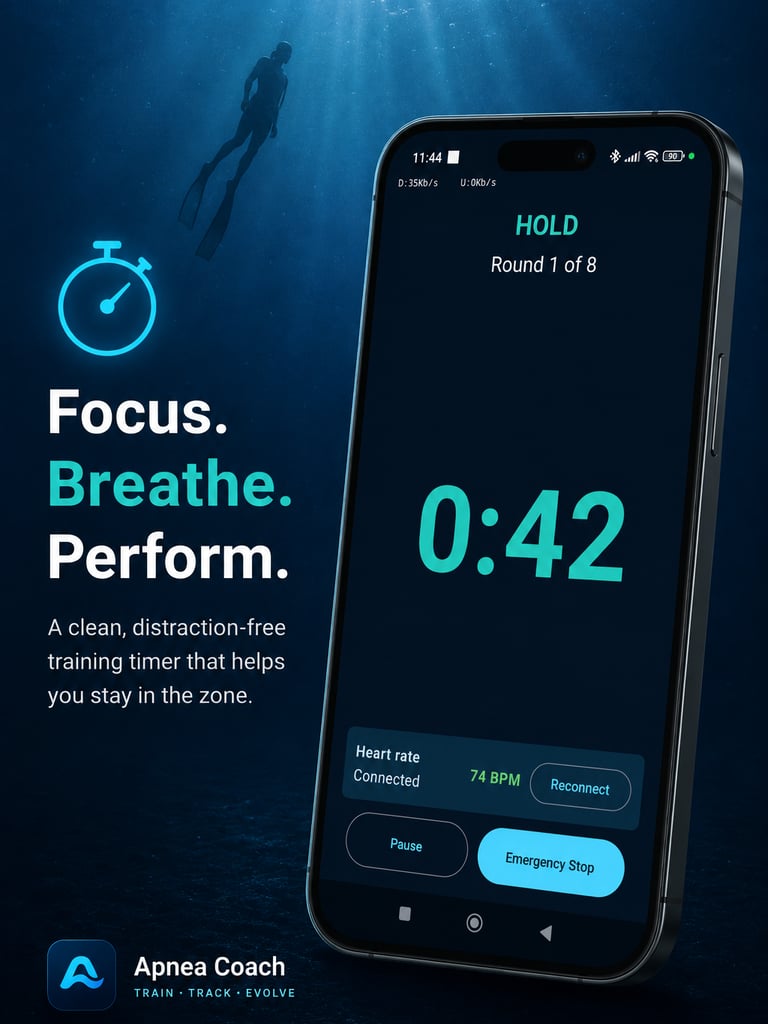
During a session, Apnea Coach keeps you on track with an active timer, round progress display, hold and recovery phase tracking, voice cues, prepare tones, and haptic phase changes.
You can pause, resume, or stop the session at any time using the emergency stop option.
The app also supports foreground session tracking, persistent notifications, and wake lock support so your session can keep running reliably while you train.
— PROGRESS HISTORY
Track Your Progress
After each session, Apnea Coach saves your training history so you can review your performance over time.
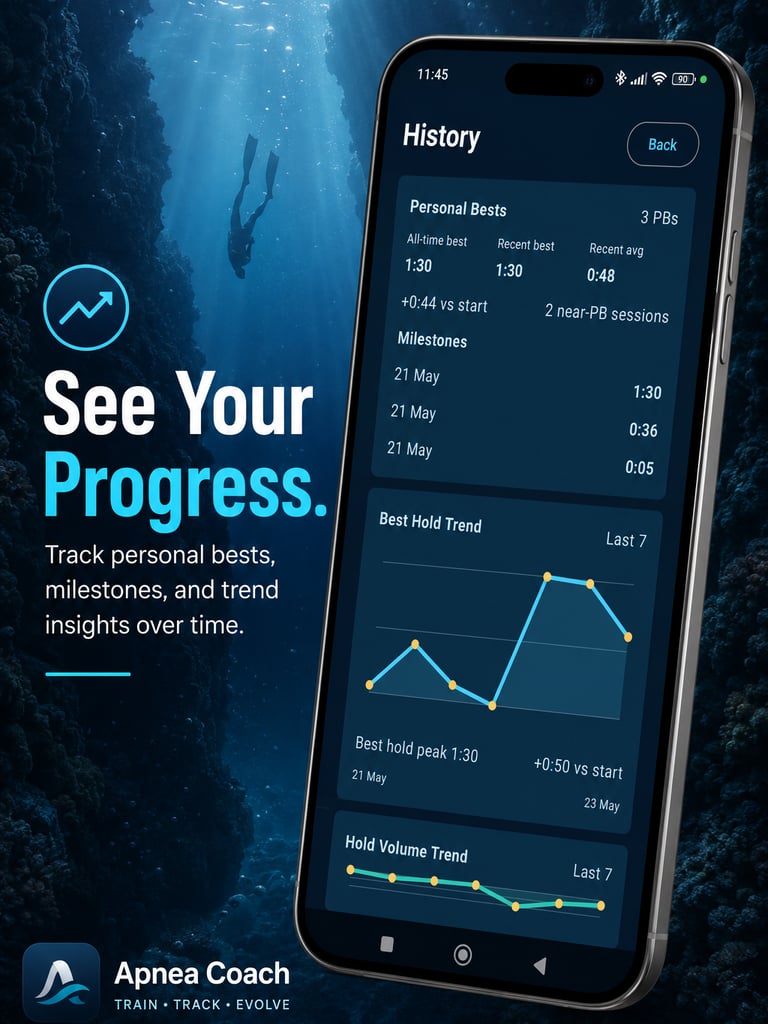
You can view session summaries, per-round breakdowns, detailed session results, personal-best milestones, weekly training totals, best hold trends, and hold volume trends.
The home dashboard gives you a quick overview of your latest session, weekly session count, weekly hold time, and personal best progress.
— HEARTH rATE MONITOR
Add Heart-Rate Monitoring
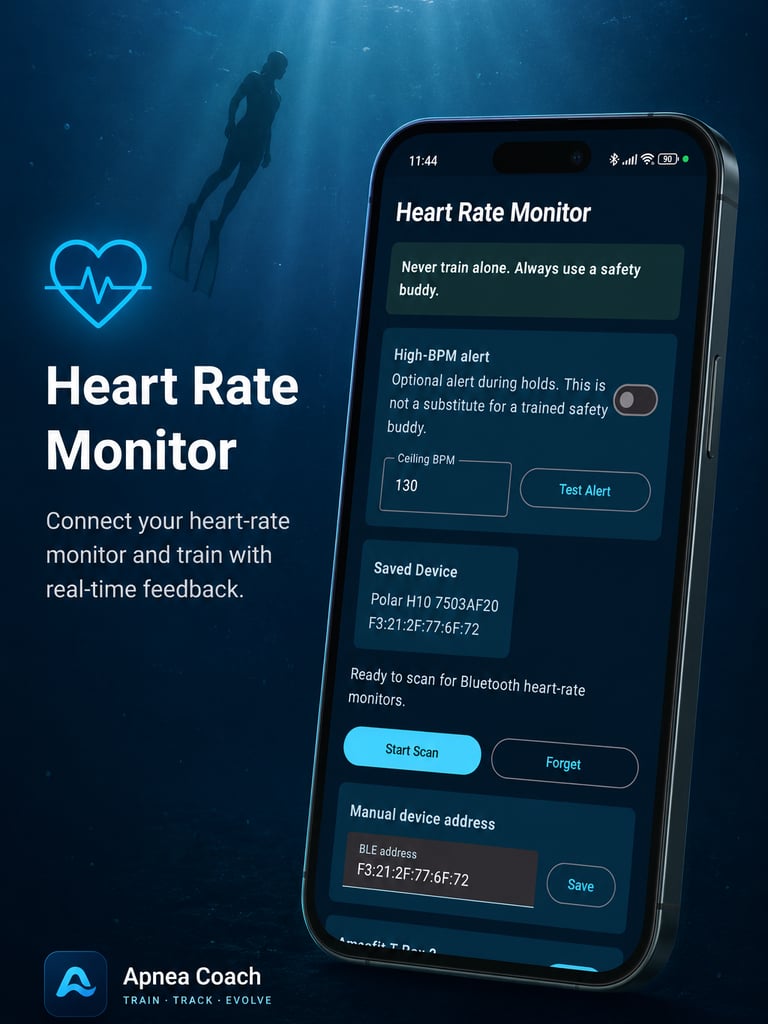
Apnea Coach supports Bluetooth heart-rate monitor pairing for users who want deeper training feedback.
During a session, you can view live heart-rate data, reconnect your monitor if needed, and save heart-rate summaries to your session history.
Detailed heart-rate insights include per-round data, timestamped samples, and graphs with hold and recovery shading.
You can also enable an optional high-BPM alert during holds, set your own BPM threshold, and test the alert tone before training.
— ReMINDERS
Stay Consistent with Reminders
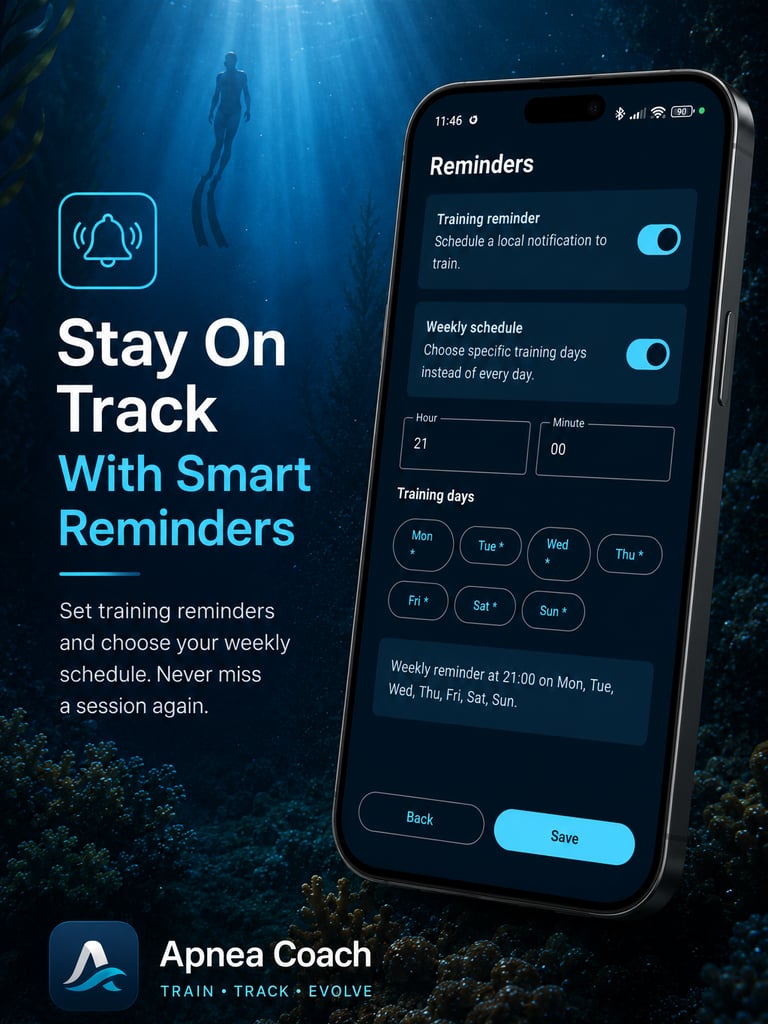
Training consistency matters. Apnea Coach includes daily and weekly training reminders to help you build a regular routine.
Reminders are designed to keep working after device reboot, and Android 13+ users are guided through notification permission setup when needed.
Measurable Gains, Session After Session
Post-session data shows hold-time deltas, breathing efficiency ratios, and protocol completion rates. Your training log is the proof that the protocol is working.